Built with AI / Project of the week
Reverse Engineer Anything helps AI look inside software
Project of the week: Morluto and contributors turn familiar software into something you can investigate, one feature at a time.
Want to understand how an app works, then make your own version? Reverse Engineer Anything, or REA, gives coding agents tools to look inside software and follow what a feature does.
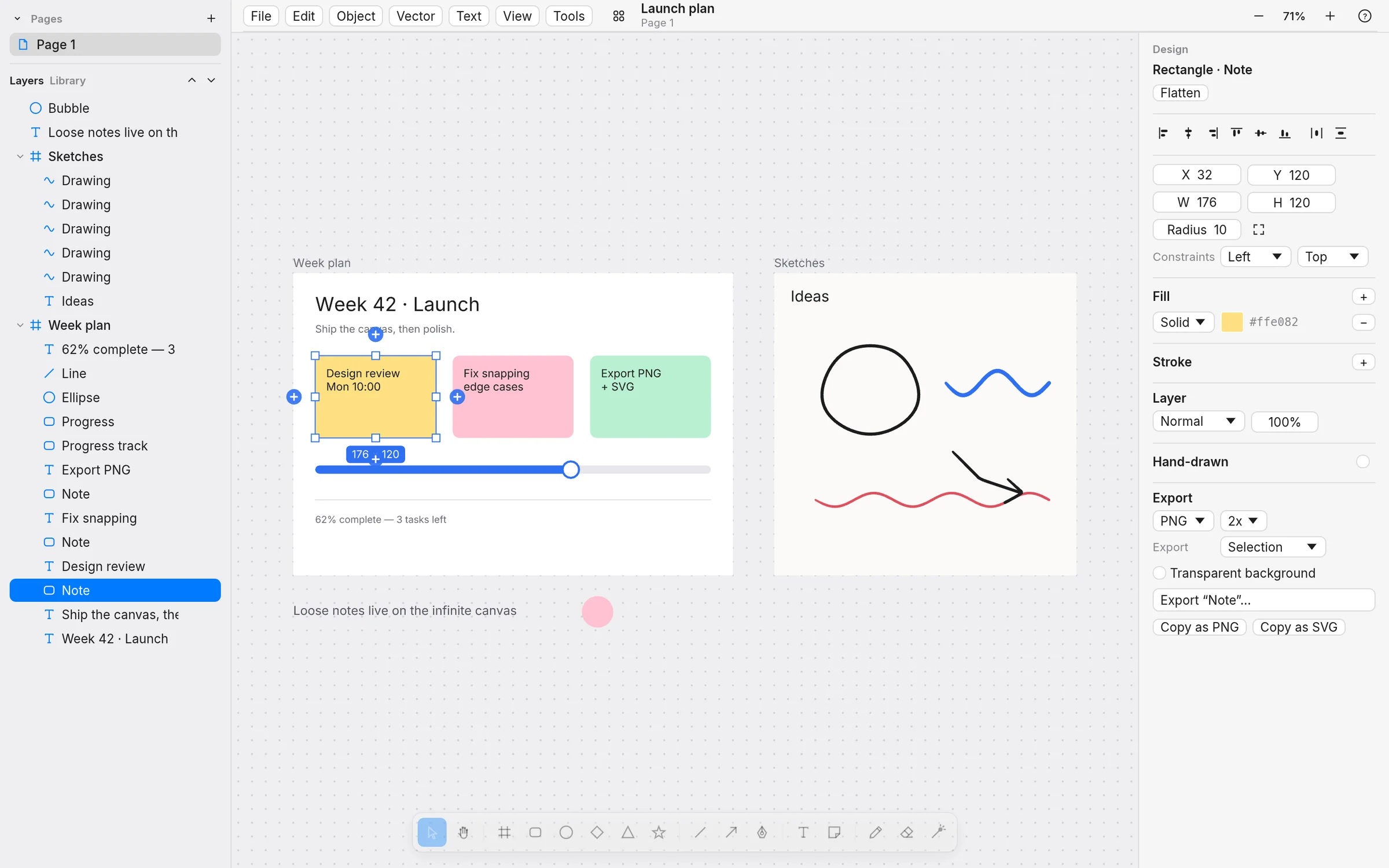
Take Sketch, a design canvas by Michael Shimeles. Its creator documents using REA and Claude Code to study how Paper works, then building a separate app for laying out designs, drawing diagrams and arranging ideas. The colourful planning board above is a demo image from the project.
A smaller example is Hexgrab, a Windows colour picker by iammukeshm. Studying PowerToys with REA taught its creator why a picker needs to keep checking the screen even when your mouse stops: the video beneath it might still be changing. They carried that idea into their own app.
These are projects to explore, and we haven't run either ourselves. Sketch documents remaining rendering and input gaps; Hexgrab is a learning project with limited features.
That's what caught our eye about REA, from Morluto and contributors: it gives an agent a way to investigate the software in front of it, then use the findings to explain something or build it differently. You bring the question; the agent follows the code and behavior.
Explore REA · See the project on GitHub
About Project of the week: Each week, we spotlight something made with AI that catches our eye through creativity or craftsmanship. A chance to enjoy the work and meet the person behind it.
Sources
- REA and its interactive examplesREA
- Original REA repositoryMorluto and contributors
- REA contributorsREA
- Hexgrab and its documented REA workflowiammukeshm
- Sketch: REA-assisted origin and documented limitationsMichael Shimeles
- Sketch image and MIT licenseMichael Shimeles